Do You Need an Account to Model Structures?
For most of structural engineering's computing history, the first thing software asked for was not your geometry — it was a computer account, an install, a license file, or a USB dongle. The honest answer to "do I need an account to start modeling in CalcSteel?" is short: no, not to start. The longer answer is a fifty-year story about how the access wall was built, and how browser technology finally let it come down.
Key takeaways
- Early structural software (SAP IV, 1973) ran on mainframes in FORTRAN — access meant a computer account and batch jobs, not a personal login.
- The desktop era added its own gate: install, then a node-locked license or a physical USB dongle before the program would even open.
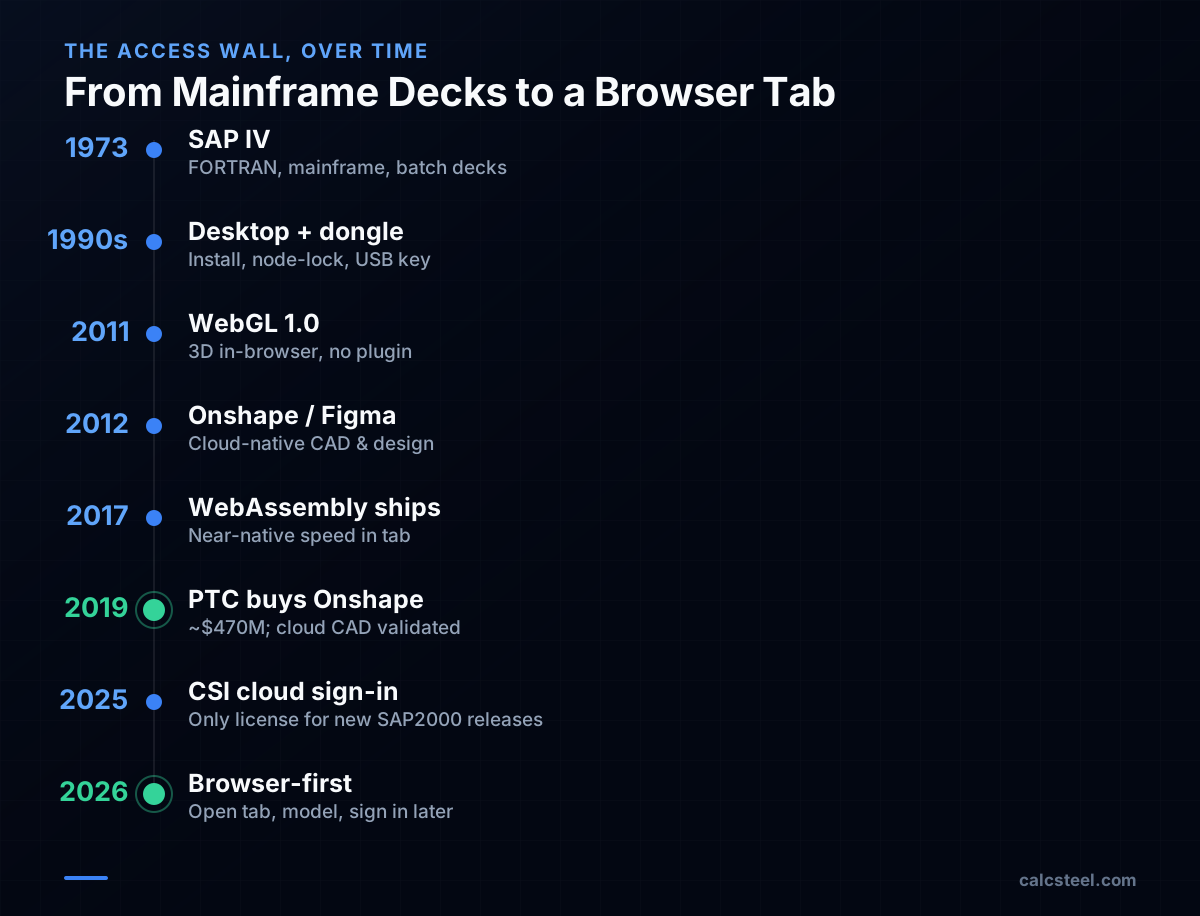
- WebGL (2011) and WebAssembly (2017) made fast 3D and near-native compute possible in a plain browser tab, enabling cloud-native tools like Onshape and Figma.
- CalcSteel is browser-native: you can open the editor and start modeling immediately, creating an account only when you want to save, export, or run heavier checks.
The Question Behind the Question
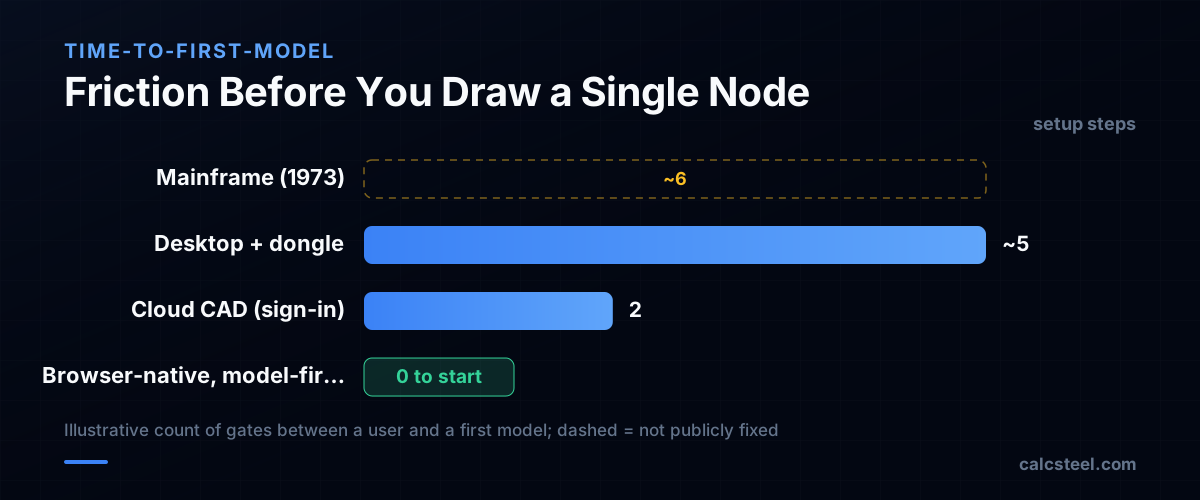
"Do I need to create an account to start modeling?" sounds like a help-desk question. It is really a question about friction — how many steps stand between an engineer and a first model. For decades that number was high, and not because vendors were careless. The access wall was a side effect of how engineering software was built and sold.
To understand why CalcSteel lets you draw first and sign in later, it helps to see what the wall used to be made of: computer accounts, installers, license servers, and dongles. Each was a reasonable answer to a real problem of its time. Browser technology simply removed the problems.
The Mainframe Era: Access Meant a Computer, Not a Login
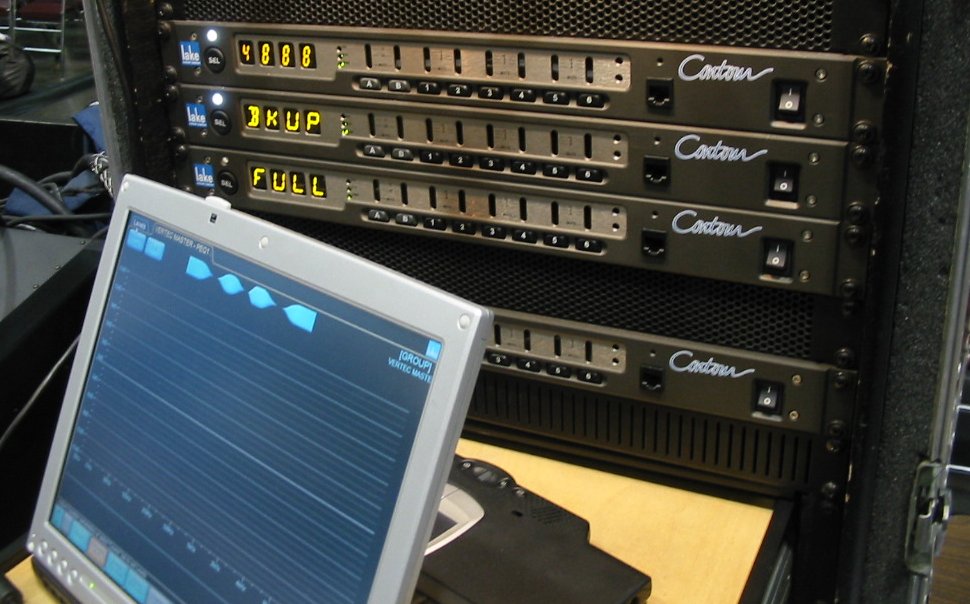
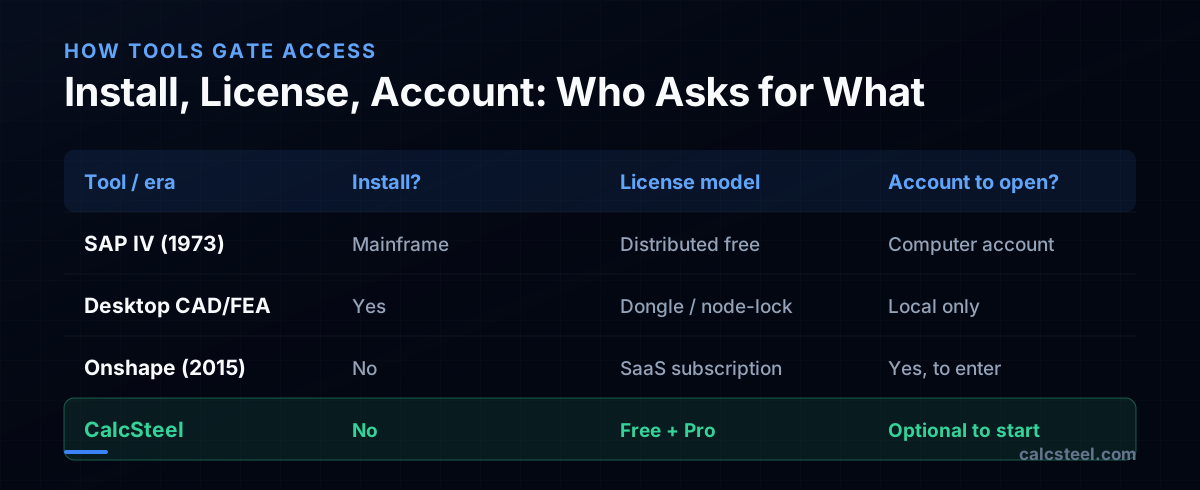
The lineage of modern structural FEA traces back to the University of California, Berkeley, where Professor Edward L. Wilson originated the SAP (Structural Analysis Program) family. SAP IV arrived in 1973 — a finite element solver for static and dynamic analysis of frames, trusses, plates, shells and solids, developed at Berkeley's Earthquake Engineering Research Center by Klaus-Jürgen Bathe, Edward L. Wilson and Fred E. Peterson and written in FORTRAN for mainframe computers. It was distributed freely and reportedly reached over 1,000 users worldwide by 1974.
"Account" in that world meant something very different. You needed access to a mainframe, you prepared an input deck, you submitted a batch job, and you waited for output. There was no personal sign-in to a product — the gate was institutional access to the machine itself. Modeling was powerful but profoundly not instant.
The Desktop Era: Install First, Then Prove Your License
The personal-computer era moved the solver onto the engineer's desk — and replaced the institutional gate with a commercial one. Now you had to install the software, then satisfy a licensing system before it would run.
Two patterns dominated. Node-locked licenses tied the software to one machine via a hardware fingerprint — MAC address, CPU ID or serial number. Floating licenses lived on a server and were checked out by whichever workstation needed them. For high-value engineering software, the physical dongle — a USB key that had to be plugged in for the program to start — was a staple, and to a large extent still is.
- Install friction: gigabytes to download, an admin account to install, OS-specific builds.
- License friction: a key file, a server, or a dongle that could be lost, stolen, or stuck in a colleague's desk drawer.
- Update friction: every machine had to be patched individually.
None of this had anything to do with your structure. It was pure overhead between you and your first node.
The Browser Shift: WebGL and WebAssembly Move the Solver Into a Tab
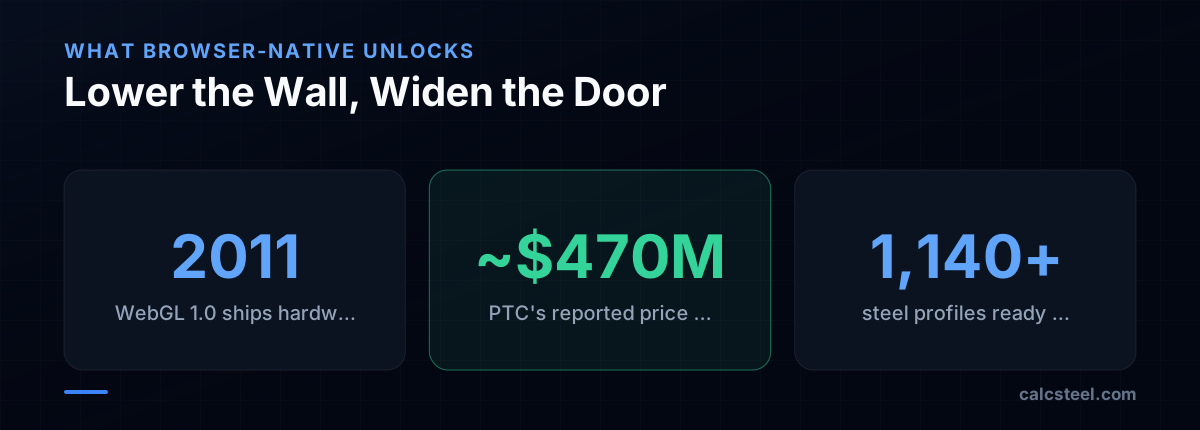
Two web standards quietly dissolved the install wall. On March 3, 2011, the Khronos Group released the final WebGL 1.0 specification, bringing hardware-accelerated 3D graphics to the browser without plugins — the rendering muscle a 3D structural editor needs. Then WebAssembly, announced in 2015 and first shipped across major browsers in 2017 (a W3C recommendation by December 2019), let compiled C, C++ and Rust run at near-native speed inside the tab.
Cloud-native pioneers proved the thesis. Onshape, founded in 2012 by former SolidWorks leaders Jon Hirschtick and John McEleney, shipped a public beta in 2015 and was acquired by PTC for a reported ~$470 million in 2019. Figma, also founded in 2012 by Dylan Field and Evan Wallace, built its editor on WebGL with a C++ engine compiled to WebAssembly — proving professional design tools could live entirely in a browser. The install step — the first brick in the wall — was gone.
The Last Wall Standing: The Sign-In Gate
With install gone, one gate remained: the sign-in wall. Many cloud tools still require you to create an account before you can even open the editor — a sensible default when every document lives on their servers and identity is the unit of billing. Even the desktop incumbents have drifted this way: CSI, the maker of SAP2000, now offers cloud sign-in as the only licensing option for new major releases of its products (effective July 1, 2025), folding identity into the license itself.
But an account-to-enter requirement is a choice, not a technical necessity. The browser will happily render geometry and run client-side checks for an anonymous visitor. The real question for any modern tool is whether it asks for your identity before you get value or after. CalcSteel's design is deliberately the latter: explore first, commit later.
The Verdict: Model First, Account When It Earns Its Keep
So — do you need an account to start modeling in CalcSteel? No. CalcSteel is browser-native (a React/TypeScript front-end with a Python finite-element backend), so you open the editor in a tab and begin laying out geometry immediately, with its 1,140+ steel profiles available from the first click. There is nothing to install and no license file to chase.
An account becomes useful — not mandatory to start — when you want the things that need a server: saving and reopening projects, exporting drawings and models, and running heavier code checks against NBR 8800, AISC 360, Eurocode 3 and IS 800. The FREE plan covers real work, and Pro (US$24/month, billed annually) unlocks more when you need it. That is the whole point of the browser shift: the wall that gatekept structural software for fifty years is optional now, and CalcSteel keeps it after your first model, not before. Open the editor and start drawing.
Sources
- 1.SAP IV: A Structural Analysis Program for Static and Dynamic Response of Linear Systems (Bathe, Wilson, Peterson) — NISEE e-Library, UC Berkeley
- 2.Khronos Releases Final WebGL 1.0 Specification
- 3.WebAssembly 1.0 Becomes a W3C Recommendation — W3C Press Release
- 4.PTC to Acquire SaaS Development Platform Leader Onshape (~$470M)
- 5.WebAssembly cut Figma's load time by 3x (C++ engine to WASM) — Figma Blog
- 6.Important Changes to CSI Software Licensing — Cloud Sign-in (effective July 1, 2025)
- 7.Onshape — Wikipedia (founding 2012, public beta 2015)
- 8.Image: Binksternet — CC BY-SA 3.0 (Wikimedia Commons)
Try CalcSteel for free
Model, analyze and design steel structures in your browser. No install, no signup.
Open the 3D editor