Can I run CalcSteel on a mobile phone or tablet?
Twenty years ago, structural analysis lived on a single licensed Windows machine in the corner of the office. Today the same finite-element math can run inside a browser tab on a phone in your pocket. This is the story of how the engineering workflow escaped the desktop — and what that means for whether you can actually run CalcSteel on a tablet.
Key takeaways
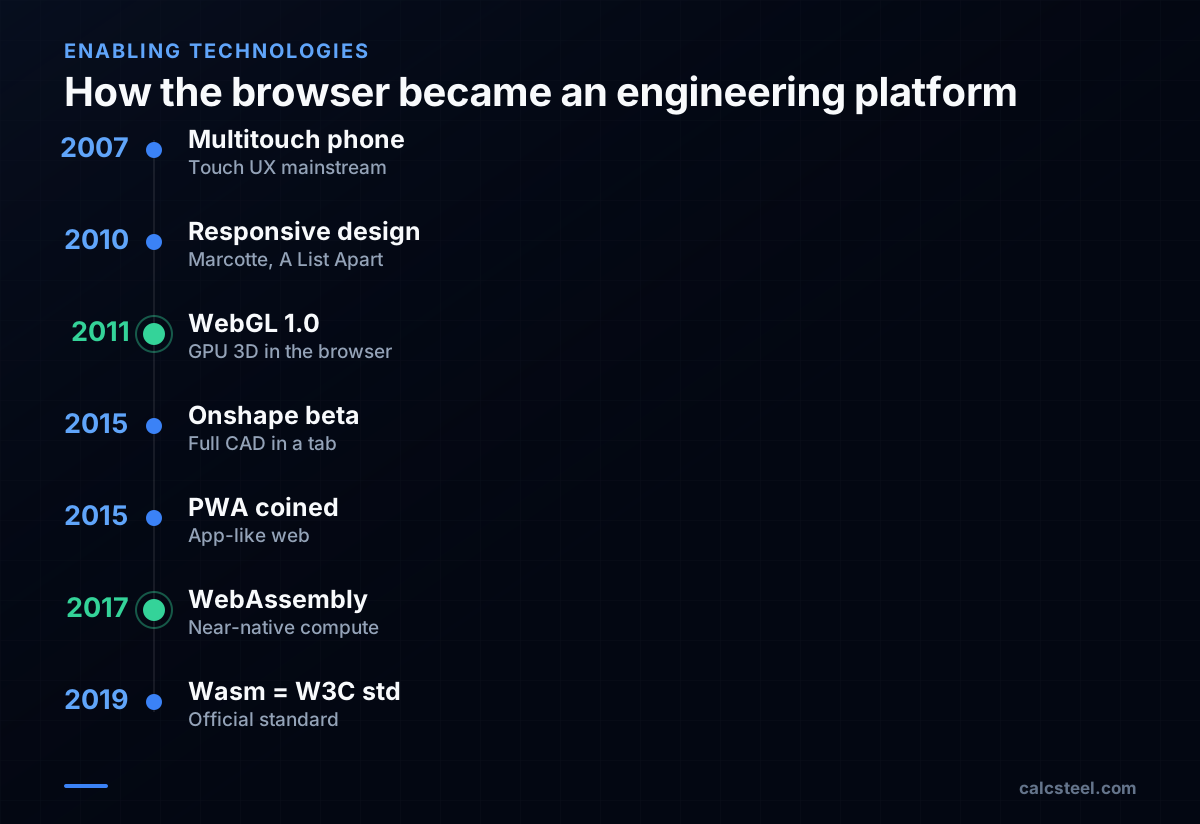
- The browser became a viable engineering platform in two leaps: WebGL (final 1.0 spec, March 2011) brought GPU-accelerated 3D, and WebAssembly (cross-browser MVP, March 2017) brought near-native compute.
- Onshape proved in 2015 that real parametric CAD could run in a browser tab — and on iOS/Android — kicking off the cloud-CAD era.
- Mobile is excellent for viewing, reviewing and light edits; heavy modeling still favors a real keyboard, pointer and screen.
- CalcSteel is browser-native: it opens on any modern phone, tablet or laptop with no install, and runs the same code checks everywhere.
The workflow that lived on one machine
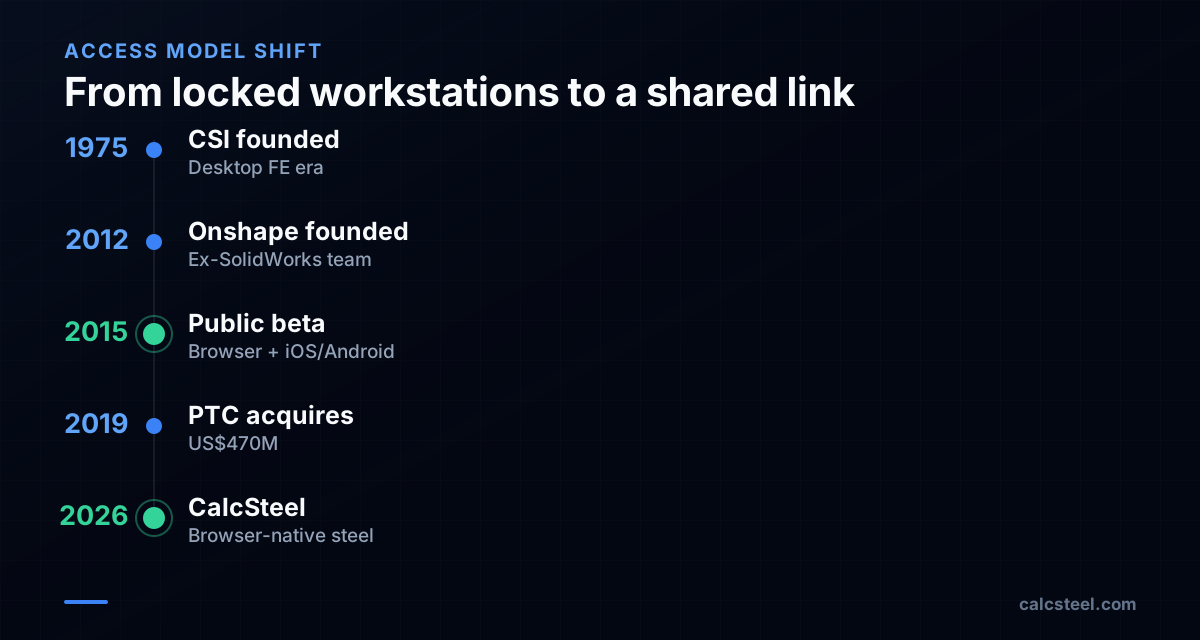
For most of computing history, structural engineering was a desktop-bound craft. Tools like SAP2000 from Computers and Structures, Inc. (founded in 1975) defined the category: a powerful native application, a hardware dongle or a node-locked license, and a workstation specced for the job. The model lived on that machine. To collaborate, you emailed files. To work from home, you used a VPN and remote desktop.
This was not an accident — it reflected the reality that finite-element analysis is compute-heavy and 3D rendering needed direct access to the graphics card. Browsers of the 2000s could barely render a styled form, let alone a stiffness matrix. The engineering UX was shaped entirely by that constraint: one engineer, one license, one screen, one big tower under the desk.

Two technologies that broke the desktop's monopoly
The browser became a serious platform in two distinct jumps. The first was WebGL: the Khronos Group released the final WebGL 1.0 specification on 3 March 2011 at the Game Developers Conference in San Francisco, bringing OpenGL ES 2.0-class GPU rendering straight into the browser. Suddenly a web page could draw a real-time, rotatable 3D model without a plugin.
The second jump was raw speed. WebAssembly — first announced in 2015, with its cross-browser minimum-viable product declared finished in March 2017 and later adopted as a W3C recommendation in December 2019 — let teams compile C, C++ and Rust geometry kernels and solvers to run at near-native speed inside the tab. Together, WebGL and WebAssembly closed most of the gap between a web app and a desktop one.
A parallel story made these tools usable on a phone at all: responsive web design, coined by Ethan Marcotte in A List Apart in May 2010, and later the Progressive Web App concept, named in 2015 by Chrome engineer Alex Russell and designer Frances Berriman.
Onshape: proof that real CAD fits in a tab
The decisive proof point came from Onshape. Founded in November 2012 by Jon Hirschtick and John McEleney — both former SolidWorks leaders — Onshape shipped its public beta in March 2015 as a full parametric mechanical CAD system that ran in a web browser, backed by cloud compute. Crucially, it also shipped mobile apps (an iPhone app at launch, followed by Android in August 2015), and designed a precise touch interface to replace the keyboard-and-mouse assumptions baked into decades of CAD.
The market took it seriously: PTC acquired Onshape in November 2019 for a reported US$470 million. Building a browser CAD platform was expensive — Onshape is reported to have raised roughly US$169 million in venture funding, including more than US$80 million before launch — but it permanently changed expectations. After Onshape, "it has to be a desktop install" stopped being an automatic truth for serious engineering software.
What a phone is genuinely good at — and what it isn't
Running in a browser is necessary but not sufficient for a great mobile experience. Phones and tablets bring real strengths and real limits, and honest engineering software respects both.
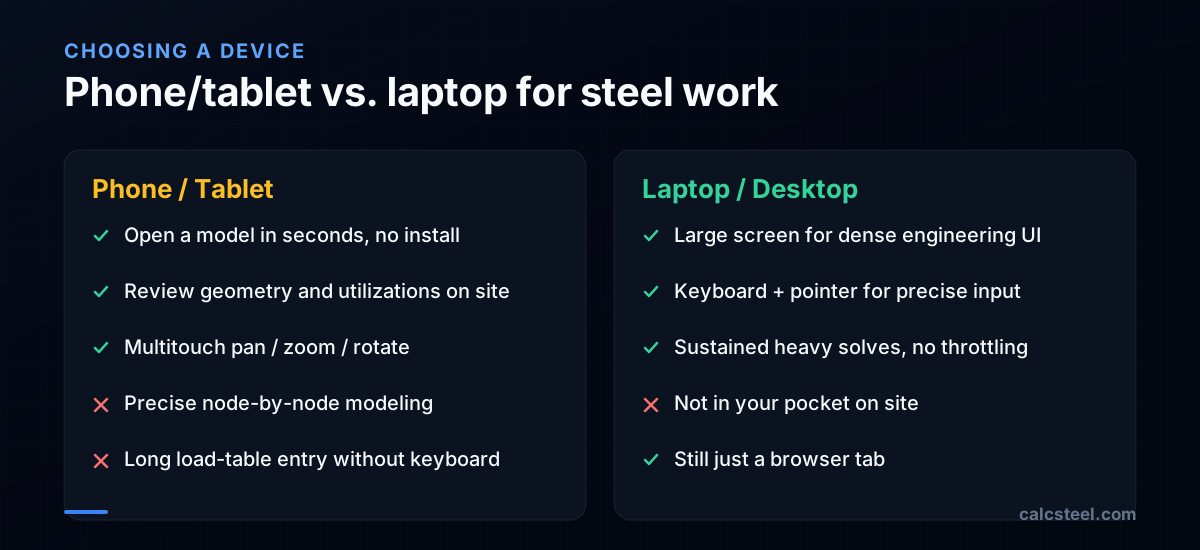
Where mobile wins: opening a model in seconds with no install; reviewing geometry and results on site; checking a member's utilization while standing on the steel; sharing a link with a client; multitouch pan/zoom/rotate that is arguably better than a mouse for inspecting 3D.
Where mobile struggles: precise node-by-node modeling on a small screen; entering long load tables without a physical keyboard; thermal throttling on sustained heavy solves; and limited screen real estate for dense engineering UIs. This is why most cloud tools, Onshape included, treat the phone as a first-class viewer and light editor while reserving heavy modeling for a larger device.
How CalcSteel runs across your devices
CalcSteel was built browser-native from the start. The front end is React and TypeScript rendering the 3D editor through the browser's GPU stack, and the heavy structural analysis runs on a Python finite-element backend. That split matters for mobile: your phone handles the interactive, GPU-friendly part — drawing and rotating the model, showing results — while the demanding matrix work happens on the server and comes back as numbers, not as a load on your battery.
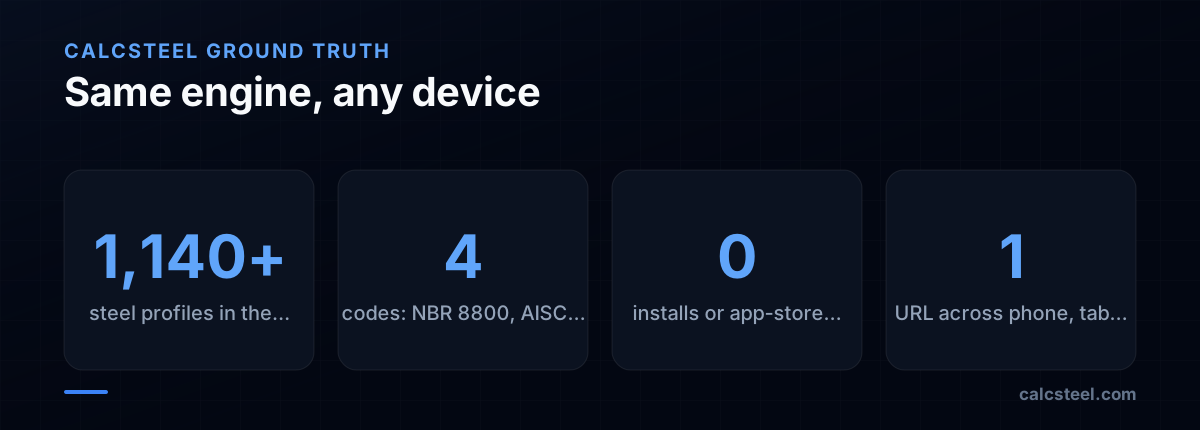
Practically, that means no install and no app-store download. You open the same URL on a laptop, an iPad or an Android phone and get the same engine: the same 1,140+ steel profiles and the same code checks for NBR 8800, AISC 360, Eurocode 3 and IS 800. A model you start on the office machine is the model you open on the train.
So — can you run CalcSteel on a phone or tablet?
Yes, with a clear-eyed caveat. Because CalcSteel is browser-native, it loads on any modern phone or tablet with a current browser — no install, no license dongle, no platform lock-in. For reviewing a model, checking utilizations, inspecting connections in 3D, and showing a result to a client on site, a tablet is genuinely excellent and multitouch is a pleasure.
For building a large frame from scratch — placing many nodes precisely and typing in load combinations — we still recommend a laptop or desktop with a keyboard and a bigger screen, exactly as the cloud-CAD pioneers concluded. Think of your phone as the field companion and your laptop as the drafting table; both open the same project.
The honest summary: the desktop monopoly is over, but physics hasn't changed. Try it for yourself — open the editor on whatever device is in your hand right now and rotate a model.
Sources
- 1.Khronos Releases Final WebGL 1.0 Specification
- 2.WebAssembly — Wikipedia
- 3.Onshape — Wikipedia
- 4.Responsive Web Design — Ethan Marcotte, A List Apart
- 5.PTC to Acquire SaaS Product Development Platform Onshape
- 6.Computers and Structures (company) — Wikipedia
- 7.Image: Massachusetts. Metropolitan District Water Supply Commission, Albertine, Louis G., 1908-1998 — Public domain (Wikimedia Commons)
Try CalcSteel for free
Model, analyze and design steel structures in your browser. No install, no signup.
Open the 3D editor