Cheapest Steel Design Software: Price Comparison
"What's the cheapest structural software?" sounds like a question about money. It's really a question about history — about where each tool was born, how it was built, and what business model it grew up inside. Once you see that, the price tags stop looking random.
Key takeaways
- The cheapest professional option is free: CalcSteel runs in the browser with a no-cost plan, and Ftool has been free for teaching since 1991.
- Desktop incumbents (SAP2000, CYPE 3D) don't publish prices — you request a quote, typically in the thousands of dollars per year.
- The only way to buy Autodesk Robot is the AEC Collection, ~US$3,300/year.
- Price follows architecture: a browser app has no install, no per-seat license, and ships updates for free — so it can be 100× cheaper than a desktop suite.
Why "cheapest" is the wrong question
Ask five engineers for the cheapest steel-design package and you'll get five answers, because they're secretly comparing different things: a perpetual desktop license, a yearly cloud subscription, a student plan, a free teaching tool. The number on the invoice is downstream of a decision made decades ago about how the software would be sold.
So instead of a raw price war, this post walks the actual history: when each major tool was born, what programming language it was built on, and how those two facts shaped the price you pay today. The cast: SAP2000, CYPE 3D, Autodesk Robot, SkyCiv, Ftool — and CalcSteel.
How each tool was born
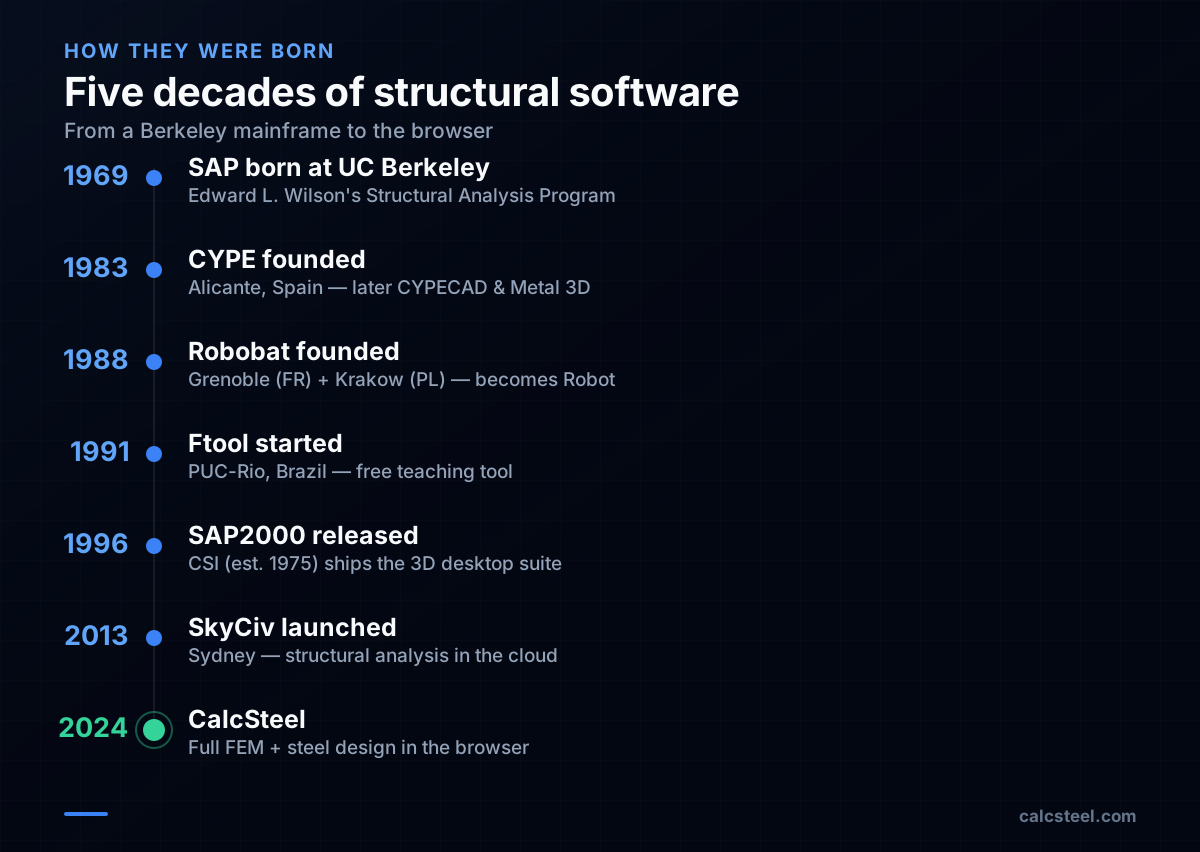
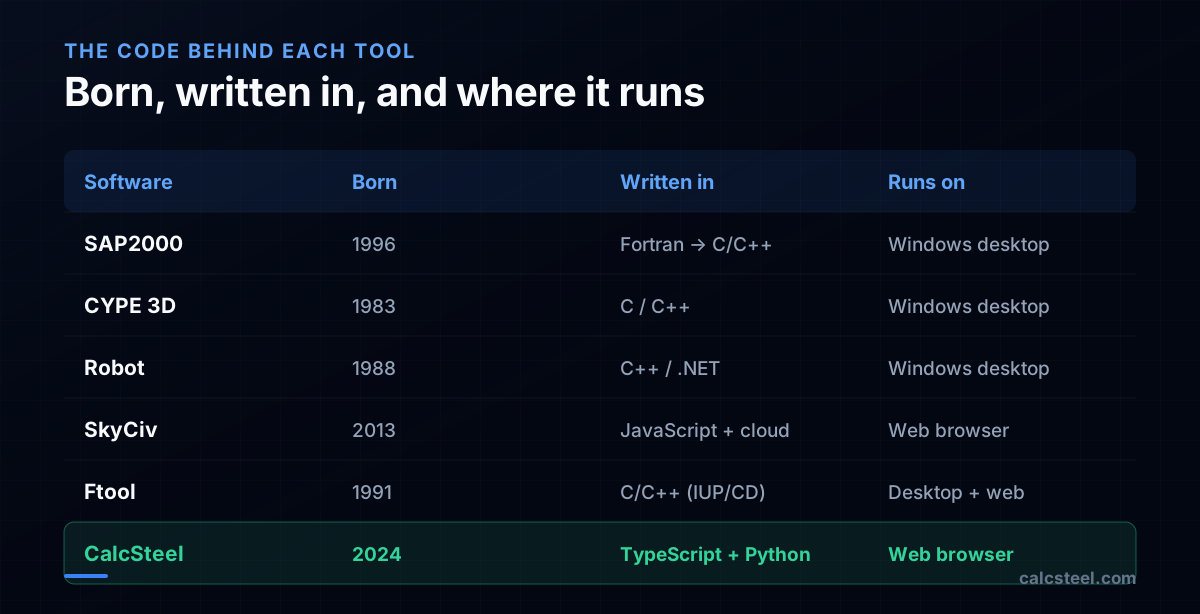
The lineage starts on a university mainframe. In 1969, Professor Edward L. Wilson wrote the original SAP (Structural Analysis Program) at UC Berkeley; the finite-element ideas behind it matured through SAP IV (1973). In 1975, Ashraf Habibullah founded Computers and Structures, Inc. (CSI) to commercialize that academic lineage, and the modern SAP2000 desktop suite shipped in 1996.
Meanwhile, CYPE was founded in 1983 in Alicante, Spain, growing into CYPECAD and Metal 3D. Robobat (the future Robot) started in 1988 across Grenoble, France and Kraków, Poland. In Brazil, Ftool began in 1991 at PUC-Rio as a free teaching tool. The newcomers are cloud-native: SkyCiv launched out of Sydney in 2013, and CalcSteel brought a full FEM solver and steel checks into the browser.
The history of the price tag
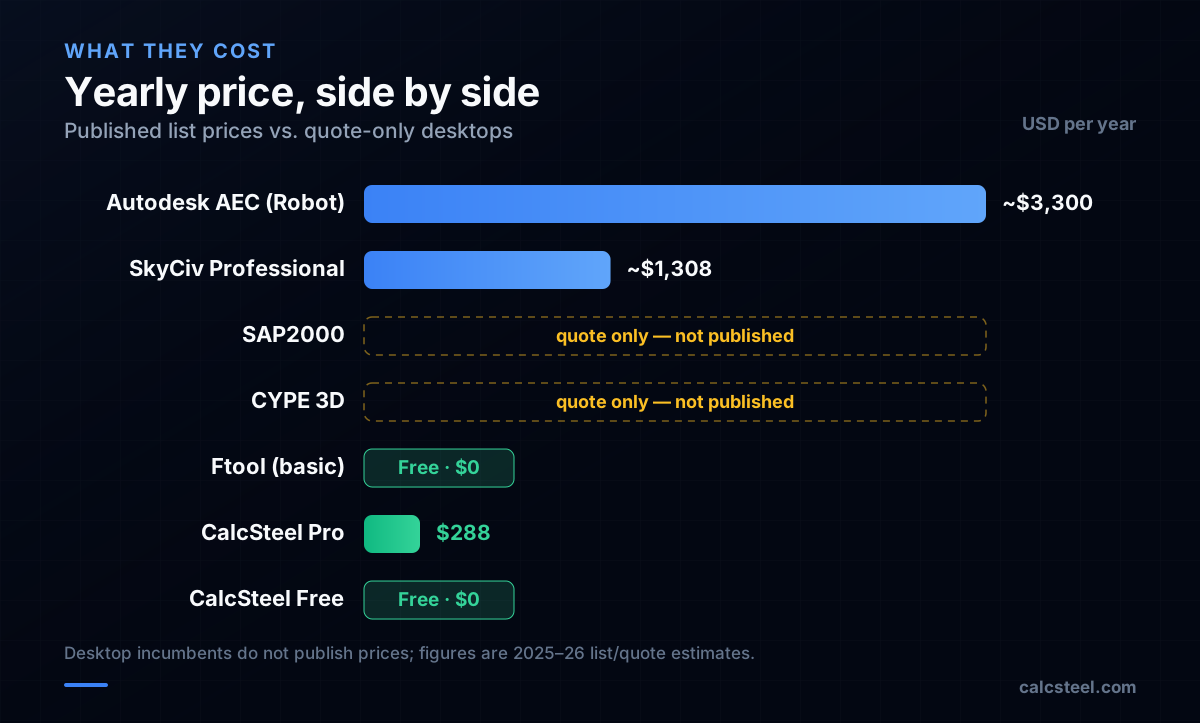
Early desktop engineering software inherited the mainframe model: expensive, negotiated, perpetual licenses plus a yearly maintenance fee. That culture survives today — SAP2000 and CYPE 3D still don't publish prices. You ask a reseller for a quote, and the figures independent buyers report land in the thousands of dollars per year, with full CYPE bundles cited well into five figures.
Autodesk took a different route: after acquiring Robobat in 2008, it folded Robot into the AEC Collection, the only way to buy it, at roughly US$3,300/year. The cloud generation finally published prices openly — SkyCiv lists Basic at $69/mo and Professional around $109/mo (~$1,308/year). CalcSteel goes further with a genuinely free plan and Pro at US$24/month billed annually; Ftool's core stays free for students. The trend is clear: the newer the tool, the more transparent — and lower — the price.
What language is each one written in?
The implementation language is partly a fingerprint of when the tool was born. The SAP lineage started in Fortran on Berkeley mainframes — the lingua franca of 1970s numerical computing — and the modern desktops (SAP2000, CYPE 3D, Robot) are native compiled C/C++ Windows applications, with Robot adding a .NET layer. Vendors rarely publish their exact internal stack, so treat these as the well-reported picture rather than a spec sheet; what is documented is that their public APIs target C++, Fortran, C#, Python and VBA.
Ftool is built in C/C++ on PUC-Rio's Tecgraf IUP/CD toolkit. The cloud tools are a different species: SkyCiv runs a server-side solver behind a JavaScript front-end and a REST API, while CalcSteel is a TypeScript/React app in your browser talking to a Python finite-element backend. That last pairing isn't a rumor — it's literally the site you're reading this on.
Why the browser changes the price
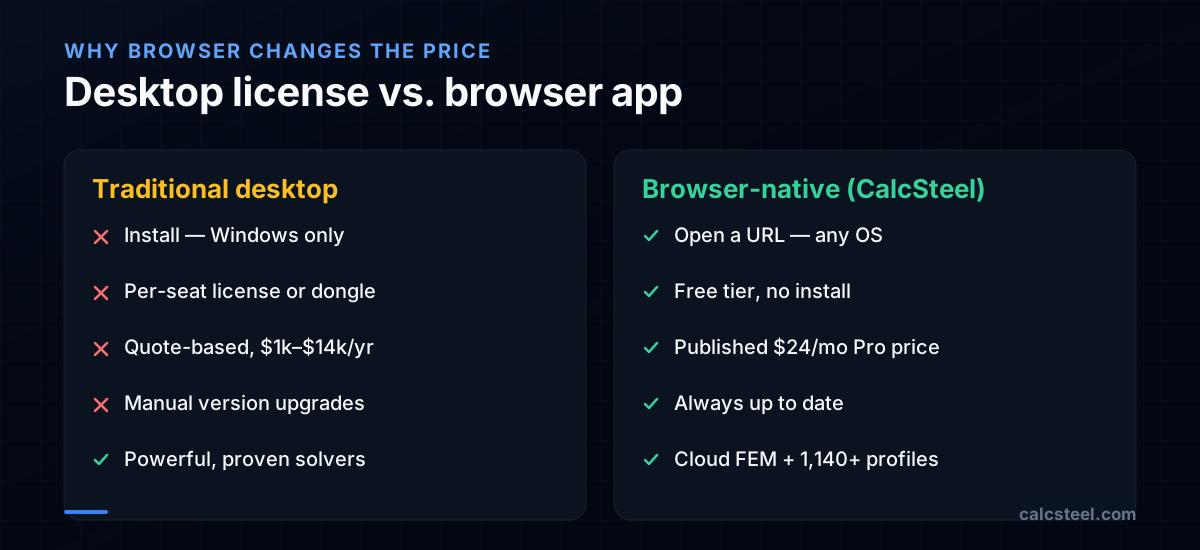
Architecture is what actually moves the price. A traditional desktop suite has to be installed, is usually Windows-only, ships per-seat licenses (sometimes a physical dongle), and bills you again to upgrade versions. All of that distribution and licensing machinery is baked into the sticker price.
A browser-native app deletes most of that cost. There's nothing to install, it runs on any operating system, updates ship instantly for everyone, and a free tier costs the vendor almost nothing to offer. That's how CalcSteel can put 3D modeling, FEM analysis, 1,140+ steel profiles and code checks (NBR 8800, AISC 360, Eurocode 3, IS 800) behind a free plan — and a Pro tier that's an order of magnitude cheaper than the desktop incumbents. The trade-off is real but narrowing: the legacy desktops still carry decades of proven, specialized solvers.
So what is actually the cheapest?
If "cheapest" means lowest cost to do real work: the answer is free. Ftool remains free for 2D teaching, and CalcSteel gives you browser-based 3D modeling, FEM and multi-standard steel design on a no-cost plan, with Pro at about US$24/month — roughly 100× cheaper than a full CYPE bundle and a fraction of an Autodesk AEC subscription.
The honest caveat: SAP2000, CYPE and Robot earned their prices over 30–50 years of specialized solvers and code coverage, and for some workflows they're still the reference. But for most steel framing, the cheapest capable option is no longer a discounted desktop license — it's a tab in your browser. See the side-by-side comparisons or just open the editor and price it against your current tool.
Sources
- 1.Edward L. Wilson — oral history (SAP origins, EERI)
- 2.Computers and Structures, Inc. — SAP2000
- 3.CYPE — company overview
- 4.Autodesk completes acquisition of Robobat (2008)
- 5.SkyCiv — About
- 6.Ftool — About (PUC-Rio / Tecgraf)
- 7.Autodesk AEC Collection — overview & pricing
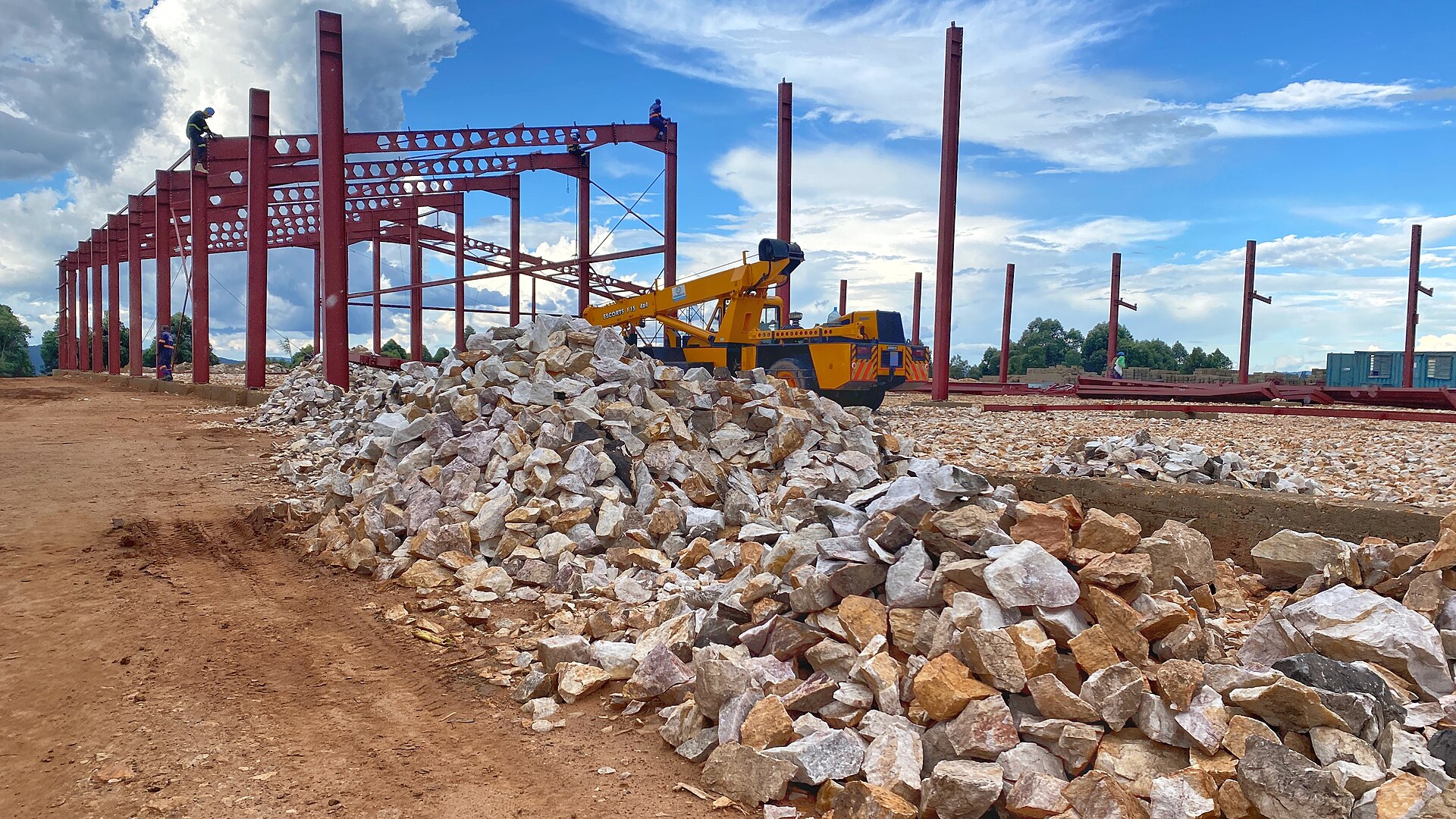
- 8.Image: BalukuBrian — CC BY-SA 4.0 (Wikimedia Commons)
Try CalcSteel for free
Model, analyze and design steel structures in your browser. No install, no signup.
Open the 3D editor